Hi~welcome to shenzhen xinmu display technology co., ltd.!

News Center

hotline:

13632760729

Where exactly is the LED large-screen switch hidden?

2025-06-16 216

Have you ever encountered such embarrassment? More than a dozen people in the conference room were waiting for the meeting, and the big screen was still not lit, and they were so anxious that they were sweating all over the control panel. Don’t panic! Today, let’s break it apart and talk about where the life gate of this big guy is hidden.

LED大屏开关究竟藏在哪里?

Three hidden secrets for physical switches

You may not believe it. On the day of opening a shopping mall last year, the curved screen worth one million was not lit up for half an hour - later I found that the main power supply was hidden in the distribution box of the fire escape passage!​​The position design of the physical switch directly determines the operation convenience​​, the path here is deep.

​List of common hiding places:

  1. Console block​: Some high-end models have switches that are like car hood buttons, usually with red lightning logos
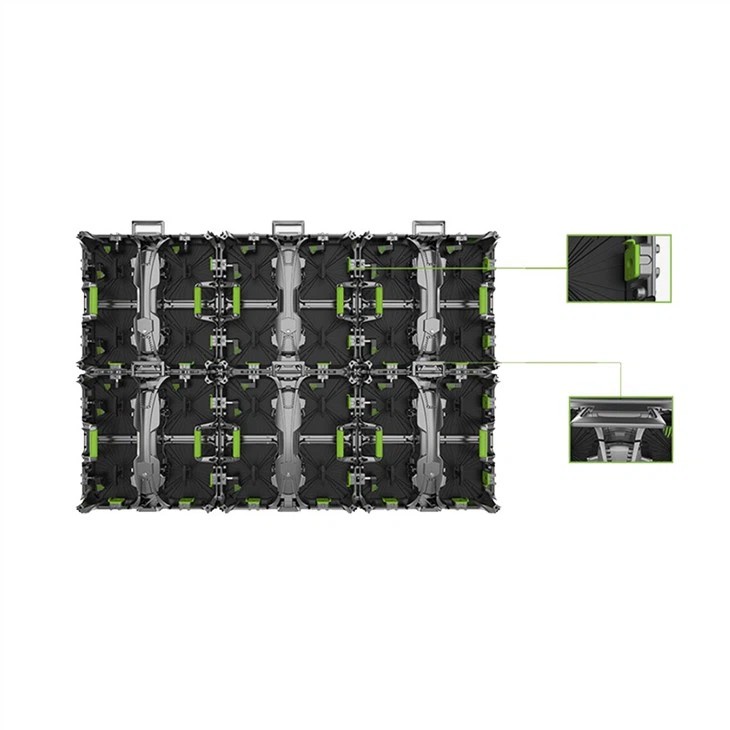
  2. ​The side of the box​: Each display unit may have independent switches on the side, especially for rental screens.
  3. ​Distribution room general control​: Where the "lifeline" of large screens is, black knobs or ship-type switches are the most common

To give a real case: a fenced screen in a gymnasium in Tokyo, each box has a magnetic emergency switch. During maintenance, you don’t need to cut off the power without removing the single screen. This design is really amazing!


Five software-controlled opening postures

Nowadays, young people are playing with mobile phones very well, but they will be fooled when they encounter professional control software. I just encountered a case last week: the customer accidentally deleted the control program, but the screen became blind.​​Software operation must be passed​!

​Comparison table of mainstream control methods:

WayApplicable scenariosThings to note
Manual screen openingDaily useRemember to check the HDMI cable connection first
Start timedShopping mall advertising screenMake a mistake in setting the difference
Mobile phone remote controlTemporary ActivitiesMake sure to be on the same WiFi network
Web page controlCross-regional managementTo set up two-factor authentication
Voice wake-upSmart exhibition hallMandarin is standard

Key reminder: When you encounter the software that doesn’t respond, look at the color of the indicator light first. If the green is always bright, it is standby, and if the red is flashing, it means there is a fault. At this time, you have to find a professional master.


Life-saving tricks for special scenes

Last year, a certain outdoor screen caused a short circuit in the console during a typhoon, and the person in charge jumped straight. At this time​Master emergency start-up skills​Can help:

​Accidental situation response guide:

  1. ​Disable power and restart method​: Pull down the air switch directly, wait for 30 seconds before pushing it up
  2. Single module startup​: Find the emergency button (with lightning sign) for any box for 5 seconds
  3. ​Standby power supply access​: High-end models have UPS interface, and power banks can be used temporarily

Here is a cold knowledge: IP65 protection level box, it will work as usual on heavy rainy days, but the console is not waterproof, so remember this!


The golden rule of daily maintenance

Don’t think that everything will be fine if you find the switch. You have seen too many customers suffer from maintenance. Last month, I just helped the customer to rescue the large screen - because of the lack of dust removal, the heat dissipation holes were blocked.

​Fourth maintenance plots:

  • ​Compulsory courses per week​​: Soft brush to clean the heat dissipation grille (remember to power off operation!)
  • ​Monthly physical examination​​: Test all physical switch sensitivity
  • Quarterly maintenance​: Professional team to do color calibration
  • ​Annual overhaul​​: Replace the aging power module

Let me tell you about the inside story of the industry: the screen life of regular maintenance can be extended by 3-5 years, and the maintenance fee is less than one-tenth of the replacement fee. This account is worth it no matter how you calculate it.


Know the future trends

Recently, I have discovered a new trend: smart switches with face recognition have become popular, and you can wake up by blinking your eyes in front of the screen. The voice control system that the laboratory is testing is even more amazing, and the screen will be immediately turned on when it comes to "turn on".

But after all, no matter how advanced the technology is, it must return to its essence. Just as the old engineer said: "No matter how hidden the switch is designed, it is not as good as standardized as the operating process; no matter how fancy the functions are played, it is not as good as daily maintenance." Do you think this is the reason?

for more product information and pricing, please contact us .

Shenzhen New Screen Display Technology Co.Ltd