Hi~welcome to shenzhen xinmu display technology co., ltd.!

News Center

hotline:

13632760729

Full guide to setting the computer LED display: from parameter adjustment to scene adaptation

2025-09-06 129


​“My LED screen is always gray, so where is it not adjusted properly? ”​
This is the most common problem when many users first come across LED displays. As the core carrier of modern digital displays, computer-controlled LED displays need to be scientifically set to perform optimally. This article will disassemble the setup process step by step and give professional suggestions for different scenarios.

Full guide to setting the computer LED display: from parameter adjustment to scene adaptation

1. Hardware connection: the basics of stable display

​Why is there no signal after the screen is powered on? ​
90% of hardware problems are caused by wiring errors. Please check in the following order:

  1. ​Dual confirmation of power and signal cable​​:
    • Check whether the power cord is connected to 220V±10% voltage, and use a multimeter to test whether the output voltage is stable in the range of 4.8-5.1V
    • Use shielded twisted pair cable to connect the sending and receiving cards to avoid snowflakes caused by signal interference
  2. ​Match graphics card and control card​​:
    • Set the resolution to send card support mode in the NVIDIA control panel (such as 3840×2160)
    • Transmission via DisplayPort 1.4 or HDMI 2.1 interface ensures lossless output of 8K content

​Personal opinion​ ​: Many users ignore the power phase balance, resulting in uneven local brightness of the screen. It is recommended to adopt a distributed power supply solution, with the single power load not exceeding 70% of the total power.


2. Core parameter settings: performance tuning key

​“There are dozens of options in parameter settings, how to choose? ”​
80% of the display problems can be solved through three sets of core parameters:

Parameter TypeIndoor scene suggestionsOutdoor scene suggestions
brightness800-1200cd/m²4000-7500cd/m²
Refresh rate≥1920Hz≥3840Hz
Grayscale16bit14bit (high light environment)

​Setup Tips​​:

  • In the color correction process, first use the color calibrator to obtain ambient light data, and then use RGB three-channel fine-tuning to achieve color accuracy of ΔE<2
  • Open​ ​Adaptive brightness adjustment​ ​Function, allowing the screen to automatically match the optimal brightness according to ambient light changes

​Industry Insights​ ​: The high-end display has achieved 0.01% brightness fine-tuning accuracy, which is more than 10 times finer than the traditional 256-level adjustment.


3. Scenario configuration plan

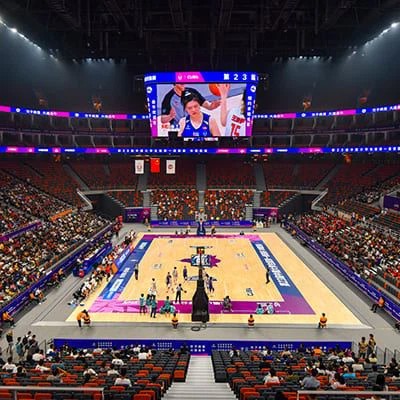
​“What are the differences in the display settings of stadiums and shopping malls? ”​ ​ Recommended configurations for three typical scenarios:

​1. Commercial advertising screen​

  • Open​ ​Smart power saving mode​ ​, automatically reduce power consumption by 30% during non-business hours
  • Set 8000:1 contrast ratio to enhance the sense of layering of the picture
  • Use 4K@120Hz signal input to match dynamic advertising requirements

​2. Stage floor tiles screen​

  • Enable point-by-point correction function to eliminate multi-screen splicing color difference
  • Set 3000Hz refresh rate to avoid scanning line phenomenon during camera shooting
  • Bind the DMX512 control protocol to achieve millisecond synchronization between light and screen

​3. Sports fence screen​

  • Turn on the temperature control compensation of IP65 protection mode, and operate stably in the environment of -20℃~60℃
  • Set anti-glare coating parameters to make 170° wide viewing angle unbiased

4. Advanced debugging: Unleashing the potential of hardware

​“Is the best effect when adjusting the parameters to the top? ”​ ​ This is a common misunderstanding. Suggested try:

  • ​HDR mapping optimization​ ​: Import HDR10+ metadata in the control software to expand the dynamic range
  • ​Motion compensation technology​ ​: By inserting frames by MEMC chip, increase the 60Hz signal to 240Hz display
  • ​Multi-screen collaborative management​ ​: Use PWM dimming technology to uniformly control the brightness consistency of 200+ screens

​Data Verification​ ​: Professional tests show that the color reproduction degree of calibrated display screen is increased by 40% and energy consumption is reduced by 22%.


Through the above settings, the user can fully unlock the hardware potential of the LED display. It needs a special reminder that​ ​Avoid long-term use of limit parameters​ ​——For example, continuously set the brightness of the outdoor screen to above 7500cd/m², which will accelerate the aging of the lamp beads. It is recommended to perform Gamma value calibration every quarter to keep the device in its best condition at all times.

for more product information and pricing, please contact us .

Shenzhen New Screen Display Technology Co.Ltd