Hi~welcome to shenzhen xinmu display technology co., ltd.!

News Center

hotline:

13632760729

Where is the power button on the LED display? A must-read practical guide for beginners

2025-12-16 205


Where is this thing hidden?

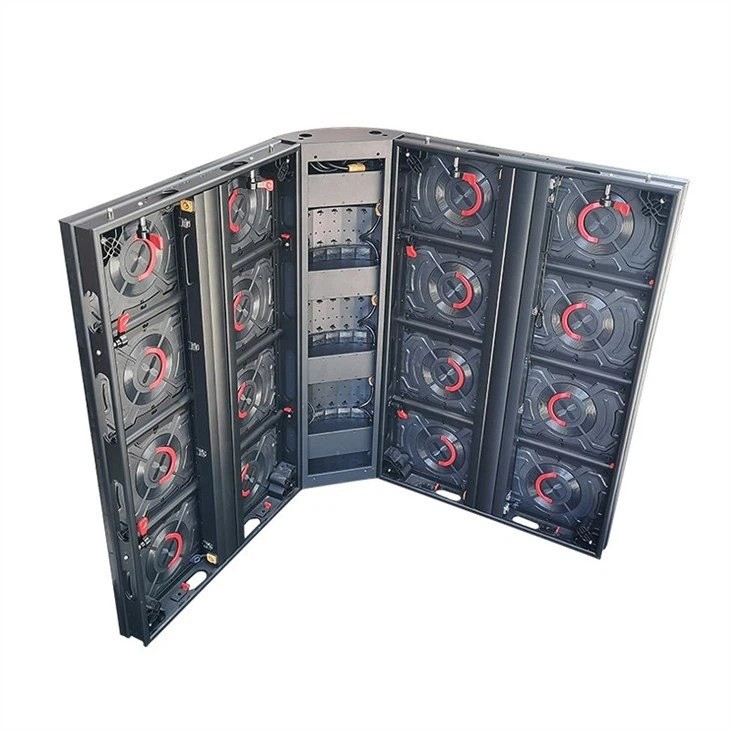
Hey, friends who are new to large LED screens have probably scratched their heads - facing a big guy two or three meters tall, the power button is like a hide-and-seek master. Don't panic, there is actually a pattern to this matter. ​ ​Remember the three golden areas: the bottom of the device, the side interface area, and the front of the control box​ ​, more than 90% of the display screens have switches arranged in these positions.

Where is the power button on the LED display? A must-read practical guide for beginners

To give a real case, the operation and maintenance staff were stunned for half an hour when they searched for the newly installed advertising screen in a shopping mall last year and couldn't find the switch. Later, they discovered that the manufacturer had designed the power button in the access hole at the top of the screen. So, if you can’t find it, don’t worry about getting angry. Mastering the method is the most important thing.


Look for these identifiers

​“How to distinguish the power button from other buttons? ”​ ​ Teach you some practical tips:

  1. ​circle vertical bar logo​ ​: International power symbol, just like the icon of the power button on a mobile phone
  2. ​red/green button​ ​: Red is usually the emergency stop switch, green is the normal power button.
  3. ​Design with protective cover​ ​: Important switches often have transparent plastic covers to prevent accidental touching.

An experienced technician will carry a laser pointer with him and shine it along the path of the power cord, and he can locate the control box in ten seconds. This method is particularly effective for embedded screens, so you might as well give it a try.


Design differences in different scenarios

​“Why are some on the left and some on the right? ”​ ​ This depends on the purpose of the display:

  • ​outdoor advertising screen​ ​: The power button is usually hidden inside the waterproof case, and you have to unscrew four screws to see it.
  • ​stage rental screen​ ​: The quick-release structure puts the switch on the side of the box to facilitate quick start and stop.
  • ​Large screen in control room​ ​: There may be no physical keys at all, and software remote control is used instead.

Did you know? Global LED display shipments will grow by 15% in 2023 (TrendForce data), and manufacturers now prefer hidden designs. For example, in a stadium renovation project, all power controls are directly integrated into the mobile APP, and operation and maintenance personnel can turn on and off the screen in the restroom of the venue.


Don't make these mistakes

I have to focus on the pitfalls that novices often fall into:

  • ​Hot plugging and unplugging cables​ ​: This will burn the circuit board to a caramel smell. Don’t ask me how I know this.
  • ​Long press to force shutdown​ ​: Some screens require pressing and holding for 5 seconds, but most only require one tap
  • ​Ignore emergency switch​ ​: When encountering a black screen, first look for the reset button with the lightning symbol, which is safer than cutting off the power directly.

There was another hilarious incident last week. The front desk of a company used the screen protector as a switch for a long time. Therefore, the first thing you should do when you get a new phone is to peel off the film. This is the same as buying a new phone.


Maintenance tips

​“What should I do if the switch becomes insensitive after being used for a long time? ”​ ​ Doing these three steps can extend your life by ten years:

  1. Wipe the contacts with a cotton swab dipped in alcohol every month, and remember to turn off the power first!
  2. Check the waterproof rubber ring every week during the rainy season and replace it immediately if it is deformed.
  3. Avoid operating with sweaty fingers. Metal parts are most afraid of salt corrosion.

Here’s a little tidbit you may not know: a quality power button can withstand 50,000 presses. If you switch it on and off twice a day, it will last you 68 years—longer than the life of the display itself!


Let’s talk about the design of the power button. It’s just like the light switch at home. When you use it smoothly, you don’t feel its presence. When you use it awkwardly, you get anxious. Nowadays, many high-end screens are beginning to offer new features such as voice control and gesture sensing, but physical keys are still a guaranteed safety card. If you can't find the switch next time, take a deep breath and follow the power cord to find it. Remember, good equipment speaks for itself. When you use it smoothly, you will naturally realize the professional design.

for more product information and pricing, please contact us .

Shenzhen New Screen Display Technology Co.Ltd