Hi~welcome to shenzhen xinmu display technology co., ltd.!

News Center

hotline:

13632760729

Which menu is the LED display sound effect setting hidden in? How can a novice get the best effect?

2025-11-26 254

The newly installed LED large screen has a very dazzling picture, but when the video is played, it turns into a pantomime? Last week, a brother who owns a bar asked me: "I spent 80,000 yuan to buy a display screen, but I couldn't find the volume button on the remote control. Is this thing cutting corners?" "Today we are going to take a look at this troublesome sound effect setting issue.


1. 90% of people are looking in the wrong place

Let me tell you the truth first.​ ​Many LED screens do not have speakers at all​ ​! Just like a TV needs to be connected to an amplifier to produce sound, the display itself may just be "dumb". Last year, there was a P3 screen installed in the atrium of a shopping mall. The purchasing department thought it had built-in speakers, but on the day of the opening, ten external speakers were urgently deployed to save the situation.

Which menu is the LED display sound effect setting hidden in? How can a novice get the best effect?

​Quickly determine whether your screen can make sound​​:

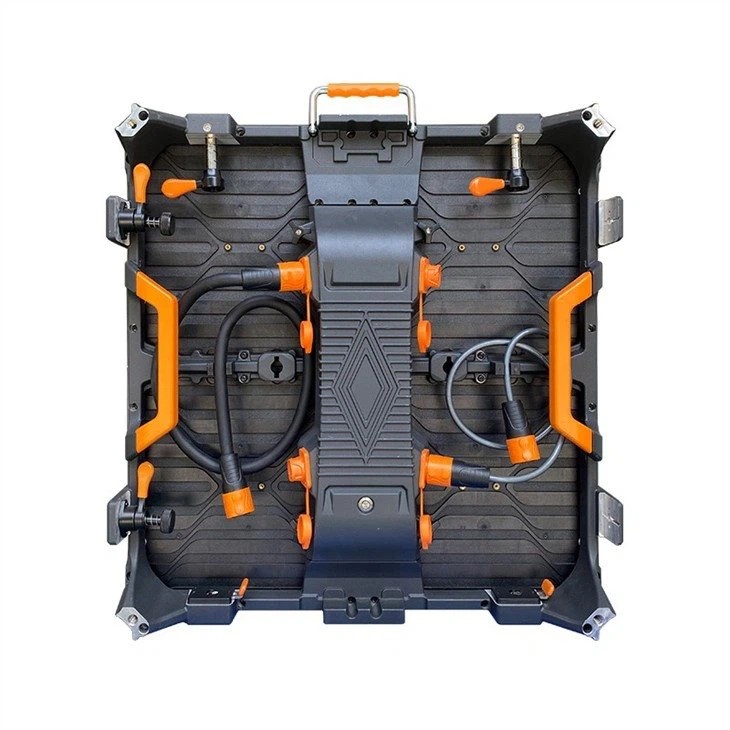
  1. Check to see if there is a 3.5mm audio interface on the back of the device (the round one with the ⚡ mark)
  2. Look for the "Sound Effects" or "Audio" button on the remote control.
  3. Scroll to the "Sound Output" option in System Settings

If you can't find it in these three places, congratulations - you need to prepare an external speaker. But don’t rush to criticize, now all high-end rental screens support it.​ ​HDMI audio return​ ​, you can transmit the sound to the speaker that comes with the display using just a wire.


2. The sound effect switch hidden deep in the system

Even with a display screen with audio, the entrance is concealed enough. Take a common Android system screen as an example:

  1. Tap "About Device" 5 times in a row to unlock developer mode
  2. Find the collapsed one in "Display Settings"​ ​Audio enhancement options​
  3. Turn on "Dynamic Range Compression" to prevent the volume from suddenly getting louder and lower.

A customer who works in a conference room was in trouble here. The smart screen they bought had external audio input turned off by default and made no sound during debugging. Later I found out that I was going to​ ​multi-window mode​ ​The audio channel can only be activated by pressing the button. This design is really anti-human.


3. Parameter templates for different scenarios

Usage scenariosRecommended parameter combinationsspecial attention
shopping mall advertisingVocal enhancement + noise reductionAvoid the silent hours at 9am/8pm
stage performanceSurround + delay compensationDo sound field testing in advance
conference roomautomatic gain controlTurn off ambient sound collection to prevent howling

Last month, I helped a gym adjust equipment. Their boxing exercise area needed​ ​Low frequency enhancement​ ​, but in the normal setting there are only three gears: high, middle and low. Later, I entered the engineering mode and raised the frequency band below 80Hz by 6dB, which gave me a shocking feeling.


4. Self-rescue guide for common faults

△ There is image but no sound → First check whether the audio cable is plugged into the "OUT" port (it should be plugged into the "IN" port! )
△ The sound is intermittent → Change the HDMI cable to a shielded one, and the length should not exceed 15 meters.
△ Noisy current → Connect an independent ground wire to the device and do not share the socket with other high-power electrical appliances

The most outrageous case I have ever seen is that radio noise appears on the screen in a certain exhibition hall every hour. Later it was discovered that the dimmer in the control room was interfering, so I replaced it with​ ​Optical fiber audio transmission​ ​Just solved it. So wiring really can't save hundreds of dollars.


5. Personal point of view time

Nowadays, some manufacturers make sound effect settings more complicated than a maze, euphemistically calling them "professional-level adjustments", but in fact they just want to sell debugging services. It is recommended that novices pay attention to this when choosing equipment.​ ​Are there any pre-made scene modes?​ ​, one-click switching like shopping mall mode and theater mode is real.

By the way, I recently discovered a hidden trick: a screen with Android system can be installed with a third-party audio APP, which is ten times easier to use than the original tool. But you have to be careful not to crash the system. Last time I deleted a system file, which caused people to boot directly into engineering mode - I can brag about this for three years.

for more product information and pricing, please contact us .

Shenzhen New Screen Display Technology Co.Ltd