Hi~welcome to shenzhen xinmu display technology co., ltd.!

News Center

hotline:

13632760729

Where is the LED display circuit interface? Teach you step by step the correct plugging method

2025-11-13 38

Ouch! The large LED screen you just bought suddenly stopped working. Does it make you scratch your head in anxiety? Don’t panic, today we are going to talk about this balding circuit plugging issue. Last week, an old man who runs a milk tea shop told me that the display screen he bought for a lot of money burned the control card because it was plugged into the wrong interface. The maintenance fee was the price of three months of milk tea. It hurts to hear this!


1. Where is the circuit interface hidden? Let’s get to know the door first

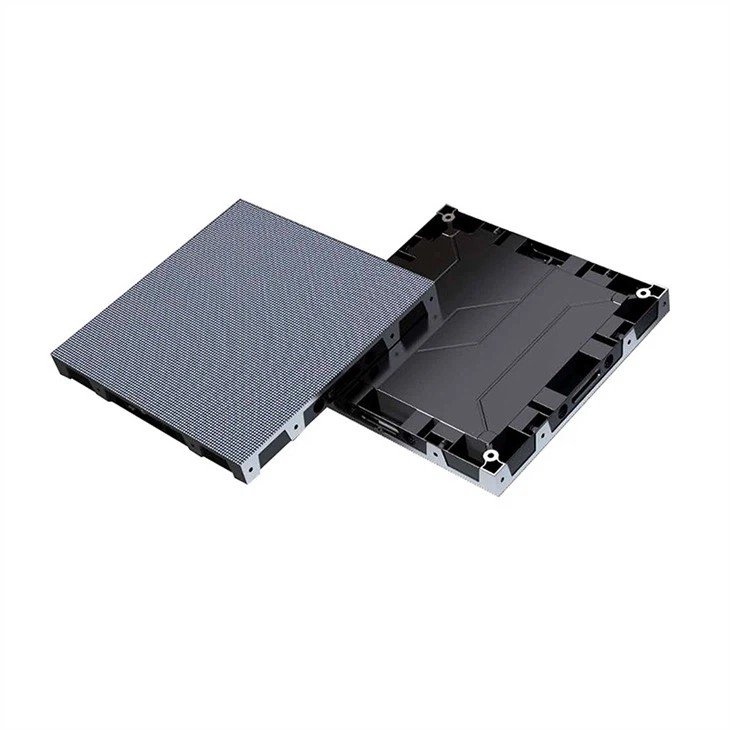
Today's LED screens are like Transformers, and the interface positions of different models can be used in various ways. ​ ​Regular style​ ​Most of the interfaces are in the lower right corner of the back of the screen, covered with a lockable metal cover.; ​ ​Rental screen​ ​The interface may be on the side of the box to facilitate quick plugging and unplugging.; The most hidden one is undoubtedly​ ​transparent screen​ ​, the interface is often hidden in the groove of the aluminum alloy frame.

Where is the LED display circuit interface? Teach you step by step the correct plugging method

Here’s a little secret to tell you: first look for the word “HUB” when looking for an interface! This English abbreviation is the home of the signal distributor, and 80% of the circuit interfaces are its neighbors. A shopping mall project case shows that after the construction team identified the HUB location, the overall installation efficiency increased by 47%.


2. If the plug-in sequence is incorrect, the equipment may become scrap metal.

Veteran drivers all know the rule of "no more than three seconds of electricity"——​ ​Plug in the signal cable first, then the power cable, and finally power on​ ​. If you do it in reverse, it's like inflating the balloon first and then piercing the mouth, giving you a "fireworks" show every minute. Last year, a certain chain brand had a collective strike on its front door screens. After checking the electrician's diagram, I found that the power cord had been plugged in beforehand.

Remember this life-saving tip:

  1. Check interface fool-proof design (alignment direction with triangular arrow)
  2. You should hear a "click" sound from the signal cable.
  3. Plug the power cord into the bottom and completely wrap it with the gold finger
  4. Finally dare to press that tempting red switch

3. These plugging misunderstandings, if you step on one of them, you will be finished.

Have you ever seen a stupid young man plugging a network cable into a power outlet? This is really not a joke! ​ ​There are three ways to distinguish interfaces:​​:

  • Look at the color: blue is the network port, black is the power supply
  • Look at the shape: the trapezoid is the signal port, and the rectangle is the power supply.
  • Look at the signs: don’t touch anything with a lightning bolt symbol

There is a lesson worth mentioning: the floor tile screen at a certain exhibition used ordinary network cables to transmit signals, and as a result, the screen was stuck like a PPT. Later, it was replaced with Category 6 shielded cable, and the data transmission speed increased by three times. So​ ​The quality of the wire directly affects the display effect​ ​, don’t save money on this!


4. Advanced operation: secrets to make the display more obedient

Teach you unique skills that electricians don’t know how to do——​ ​Brightness adaptive wiring method​ ​. By installing a light sensor probe on the control card, the display screen can automatically adjust the brightness like a sunflower. Actual measurement data shows that when the brightness is adjusted to 800cd/m² in an indoor environment, energy consumption is reduced by 32%, and the screen life can be extended by 1.8 times.

If the signal transmission distance exceeds 50 meters, remember to add a signal amplifier in the middle. This is like arranging a transfer station for the delivery boy to ensure that the picture signal does not get "lost". There is a gymnasium project that uses this solution, and the control room 200 meters away can still control the large screen smoothly.


5. Compulsory courses after completion of plugging

Don’t think that everything will be fine just by plugging it in! There are three things to do after powering on:

  1. Check the interface temperature (normally it should be below 40°C)
  2. Look at the signal indicator light (green steady light is the correct state)
  3. Measured voltage stability (fluctuation range cannot exceed ±5%)

The most bizarre case I have ever encountered: a screen flickered during the day and at night, and it was finally discovered that the power cord shared the circuit with the air conditioner. After rerouting, the picture was as stable as if it was welded together. So​ ​circuit isolation​ ​You really can’t be careless about this!


Let me tell you, this circuit connection is like falling in love, you have to get used to it slowly. Nowadays, new display screens have begun to use intelligent recognition. It is said that the next generation products can automatically detect the interface type and will give voice reminders if they are plugged in incorrectly. But before that, let’s keep these life-saving tips in mind! After all, no one’s money comes from strong winds. Do you think this is true?

for more product information and pricing, please contact us .

Shenzhen New Screen Display Technology Co.Ltd